By Sam Hulick · Updated September 2026
Full disclosure: this article is published by ReelCrafter, but the platform comparisons and pricing are sourced from each vendor’s public documentation.
Search “best music delivery platform for film composers” and the results are a mess. DistroKid, CD Baby, Bandcamp, SoundCloud, Musicbed, Artlist, DISCO, Symphonic, and a dozen others all show up together as if they solve the same problem. They don’t. Some are for public release, others are sync marketplaces. Only a few are built for the job composers usually mean: sending finished cues to a director, showrunner, music supervisor, music editor, or game audio director so they can hear the work and take it into the project.
Here’s what delivery really is, the three platforms built for it, and the tools that get lumped in but solve different problems.
Delivery is two jobs
Music delivery is the process of sending finished music to a specific client so they can review it, approve it, and download production-ready files.
When a director, showrunner, music supervisor, or game audio director says “send me the cues,” they want two things.
Listening. A page that loads fast, plays cleanly, keeps the cues in the order you intended, and looks like your work. Not a generic catalog UI.
File handoff. Lossless audio downloads (WAV, AIFF) with metadata baked into the file, so when it lands in an asset management system, cue sheet, or game audio pipeline, the track details are already there.
A good delivery tool does both. Dropbox handles the file but not the listen. SoundCloud feels like a social platform, even on private tracks. DistroKid and Symphonic put albums on streaming and digital download platforms, which is distribution, not delivery.
Three of the most common options for film composer delivery: ReelCrafter, DISCO, and generic file sharing for the cases where presentation doesn’t matter.
ReelCrafter handles both, artist-focused. DISCO handles both, supervisor-focused. Cloud storage handles only the file.
The full comparison
Details based on public documentation and pricing as of July 2026. Features may have changed since.
| Feature | ReelCrafter | DISCO | Dropbox / Drive / Box / WeTransfer |
|---|---|---|---|
| Built for | Pitch + delivery with customizable presentation | Catalog management + sync pitching | Generic file storage and transfer |
| Listening experience | Custom artwork, colors, fonts; modular content blocks (bio, credits, galleries, links, contact, PDFs) | Minimal personalization options; non-audio content filed alongside tracks | Generic in-browser player or download-first |
| Lossless downloads with embedded metadata | Ingests existing metadata (including WAV); on Professional, lets you edit or add from scratch and writes edits into every WAV or AIFF download | Lossless downloads; ingests existing metadata, in-app edits embedded in downloads | Lossless preserved; no in-platform editing |
| URL format | Default play.reelcrafter URL on Free; paid plans add optional username/slug; custom domains via the Domain Pack add-on (5 domains or subdomains, any plan) | Username subdomain URL; custom domain for Catalogs | Hash URL only |
| Personalized links per recipient | Multiple share links per reel, each with its own password, expiration, download permissions, and tracking | Per-contact URLs for tracking; password, expiration, and download settings apply at the playlist level | Same link for every recipient; some paid plans add password and expiration to the link |
| Analytics | Per-session heatmaps showing which sections were played, replayed, or skipped; per-event detail with depth percentage and timestamps | Per-recipient stream/download counts per playlist; aggregate Insights and Reports across catalog | None |
| Save to platform | Save to ReelCrafter (sender notified) | Save to DISCO | No |
| Video, images, PDFs | Dedicated content blocks per type | Handled within playlist/track structure | Generic file list |
| Free plan | Yes (limited) | No | Yes (limited) |
| Starting price | Free; $10/mo Starter; $25/mo Professional | $12/mo Artist; $18.99/mo Plus; $29.99/mo Pro | Free; paid plans from ~$10/mo |
ReelCrafter
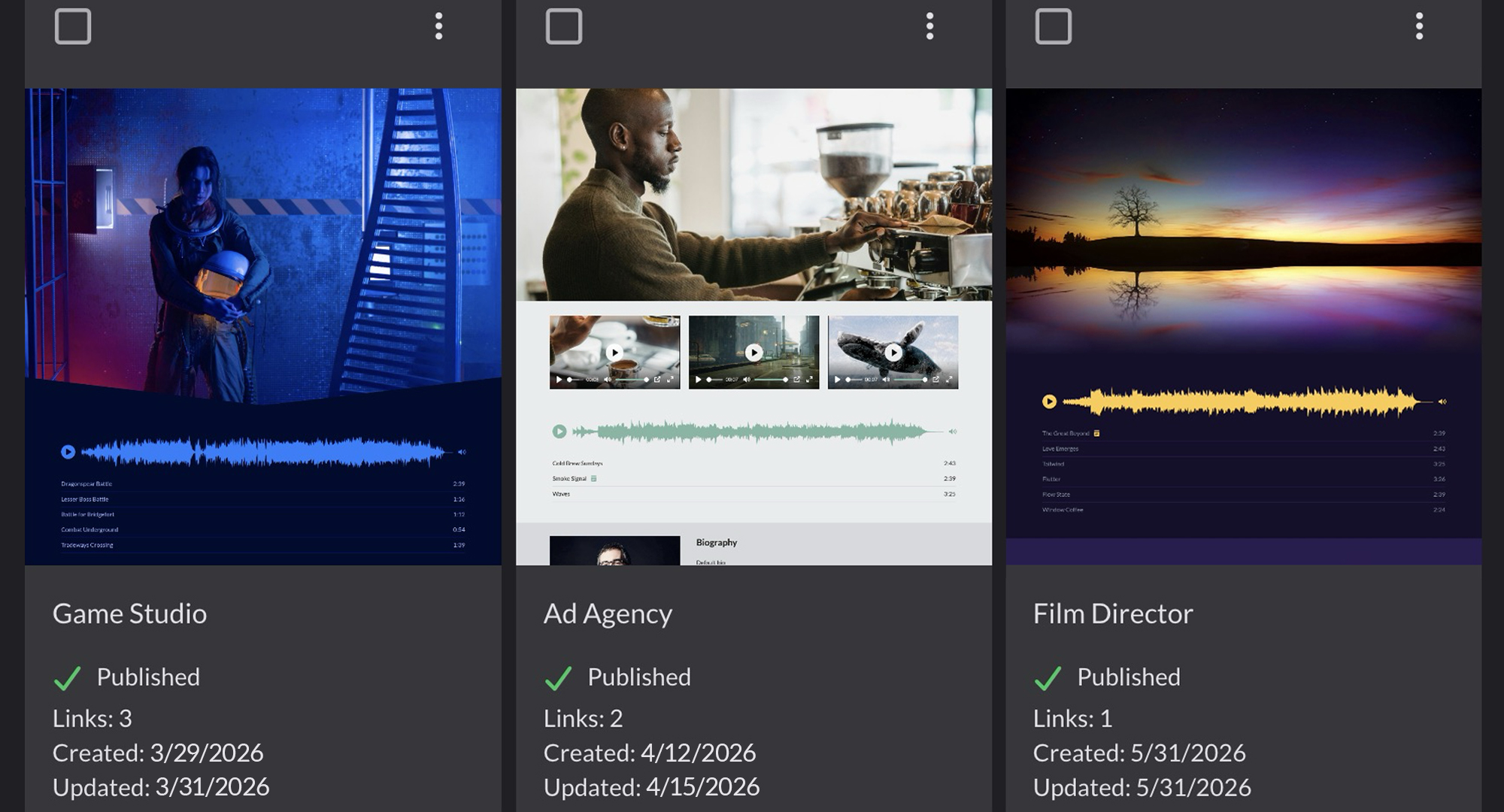
ReelCrafter is built as a pitch and presentation platform where composers show finished work at its best to a director, supervisor, or agency. Because the same reel also offers lossless delivery and share links you can update live, it doubles as a collaboration and delivery platform across the whole project, not just the pitch moment.
You upload cues once, then build a reel per project: a branded page with the tracks you pick, in the order you want them heard. Each reel can have multiple share links, and each link has its own password, expiration, download permissions, and analytics, so different recipients see different controls and get tracked separately.
On each reel, you can add your own images like a logo and banner, style your own colors, fonts, and waveforms, and drop in a biography, credits, image and video galleries, links to your website, IMDb, and socials, contact info, PDF attachments like one-sheets or cue sheets, and other blocks like event calendars and buttons. Paid plans let you swap the default URL for one with your username and slug. Custom domains are available as a paid add-on on any plan, including Free: a Domain Pack covers five custom domains or subdomains.
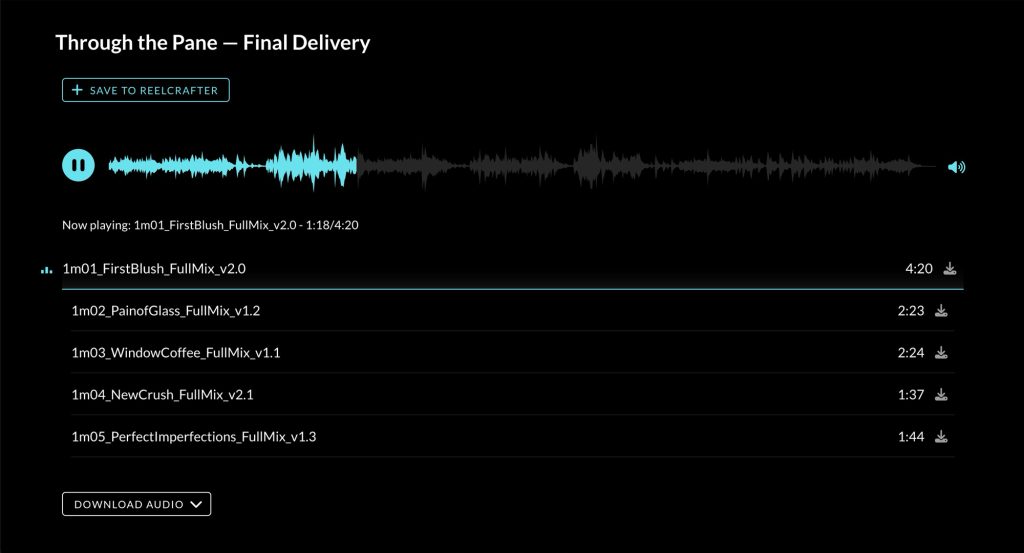
When the director opens the link, they press play and the music starts. They don’t need an account or an app, and it works in any browser. If you upload full-quality files and enable full-quality downloads, the director can pull lossless WAV or AIFF straight from the page. ReelCrafter reads any metadata already embedded in your uploads*, and you can edit those fields or fill in track details from scratch in the bulk editor. Everything you set gets written back into every downloaded file.
*Including WAV — WAV metadata support varies widely across platforms and tools (DAWs, media players, delivery services), so how it reads on the other end depends on what your recipient is using.
Downloads (including full-quality) and Save to ReelCrafter can all be toggled on and off at any time. The same link updates live, so send a reel with downloads off for the review pass, then flip them on once the cues are approved (no need to resend). When Save to ReelCrafter is enabled and the recipient is also on ReelCrafter, they can pull tracks into their own library, and you get notified when they do.
Worth noting: you can rename tracks on the reel to match scene descriptions without changing the rest of the source metadata, set nondestructive snippets to preview the strongest section of a long cue first, and see per-session heatmaps showing which sections got played, replayed, or skipped, alongside per-event detail on every play, pause, seek, download, and save.
Pricing: Free plan. Starter $10/mo ($100/yr). Professional $25/mo ($250/yr) for lossless downloads, advanced analytics, metadata editing, password protection, expiration, video hosting, and hides ReelCrafter branding.
Best for: Working composers doing project-based scoring for games, film, TV, and more. The same reel covers pitch presentation, working sessions, cue revisions, and final file delivery, so collaboration with directors, music editors, and production teams happens in one link.
DISCO
DISCO is the tool most music libraries and publishers use to manage catalogs and deliver to supervisors. Supervisors use it themselves to organize what they receive. Composers who write for a library, work with a publisher, or work with a lot of supervisors often end up on DISCO too, since that’s where their clients want to work. It covers both halves of delivery: streaming, lossless downloads, metadata editing that embeds right in the files people download, link controls like password protection and expiration on their Pro plan, and a Save to DISCO button that lets one catalog pull tracks straight into another.
That catalog focus shapes everything your recipient sees, though. DISCO thinks in tracks and playlists, so anything that isn’t audio gets squeezed into that shape. Send press photos and they show up as “Press Photos: 4 tracks” with a “Download section” button, like they’re songs instead of images to look at. Your bio gets cut off behind a “Read more” link. You can customize the top of the page with your own logo via DISCO’s Themes, but DISCO’s Save to DISCO and Download buttons stay in the header, and the DISCO logo sits in the footer.
The analytics follow the same logic. For every playlist you send, you can see page views, streams, and downloads by recipient, plus per-track detail. Insights pulls back to the catalog level: which playlists are getting traction, who your most active recipients are, that kind of thing. Pro unlocks the full reporting options, including CSV exports. All of it is built to answer “who’s listening across my library,” not “exactly when did the director rewind that opening cue.”
Pricing: Artist, Plus, and Pro plans (Enterprise for big teams), with watermarking and the Discovery Suite as paid add-ons.
Best for: Libraries, publishers, and composers whose clients and collaborators are already on DISCO, with sync pitching across many supervisors and reporting that needs to happen in aggregate.
Dropbox, Google Drive, Box, WeTransfer
The default reach when a director says “send me your final files.” Familiar and already installed. They preserve any metadata already in the file. That part’s fine.
The listening side falls apart. The director’s two options are limited: a generic in-browser audio player with no order and no context, or download every file and play it in whatever media player their OS happens to open. No presentation, no analytics, no control over what they hear first.
There’s also no in-platform metadata editing. If your track details aren’t right before upload, the recipient gets what you sent.
Pricing: Free tiers across all four. Paid plans for more storage and bigger transfers.
Best for: Moving raw stems between trusted collaborators who already know the project, or as the storage layer behind your active work when something else handles the pitch.
Which one fits your workflow
Working project by project: ReelCrafter. Pitch, delivery, and per-recipient analytics all run from the same reel, built around how composers actually work.
Running a sync catalog or music library: DISCO. Built around supervisor workflows with the metadata, tagging, and aggregate reporting to match.
Moving raw files between trusted collaborators: Whatever cloud storage you already have. No pitch, no presentation, just files.
Most working composers use more than one across the life of a project. Cloud storage for working files, ReelCrafter for the client-facing pitch, DISCO if a sync catalog sits on top.
What about Samply, Filepass, DistroKid, Symphonic, Musicbed, Artlist, and SoundCloud?
These are the tools that get lumped in with delivery in search results, but they solve different problems.
Samply and Filepass focus on time-coded comments and version stacking for structured feedback rounds.
DistroKid and Symphonic are distribution. They put soundtrack albums on Spotify, Apple Music, and other DSPs for public release. Different workflow from sending a working score to a director, showrunner, or game audio director.
Musicbed and Artlist are sync licensing marketplaces. Filmmakers browse them to license existing music. Not where you deliver an original score to a director, showrunner, or game studio that hired you.
SoundCloud is a public streaming platform with a private link option. You can enable downloads of the original uploaded file, but SoundCloud says listeners need to sign into an account to download on web. The player still feels social: comments, related tracks, follow buttons, and a broader discovery environment. Fine for an informal share with a collaborator. Less ideal for polished delivery to a music supervisor or director.
If you don’t have a ReelCrafter account yet, build your first reel free and see how it compares to what you’re using for delivery today.
Plan and feature details for all platforms in this article reflect publicly available information at time of publication and may have changed since. Verify current details on each platform’s official site before signing up.
FAQ
What’s the best way to deliver a film score to a director in 2026?
Use a platform built for music delivery instead of generic file sharing. ReelCrafter lets composers show the work and send the files from the same branded reel, with per-recipient analytics and metadata that travels with the download. DISCO is widely used by music libraries and publishers for catalog management and sync pitching. Both let the director stream cues in a real player and download lossless files with embedded metadata. Generic cloud links can move files but offer no analytics or presentation control.
What’s the difference between music delivery and music distribution?
Delivery is sending your files to a specific client (director, supervisor, agency). Distribution is getting your tracks onto Spotify, Apple Music, and other DSPs through services like DistroKid, TuneCore, or Symphonic. Distribution is for public release; delivery is for private client work. Composers delivering bespoke scores need a delivery tool, not a distributor.
What’s the difference between ReelCrafter and DISCO?
Both let recipients stream and download professionally, and both can handle thousands of tracks. The difference is orientation: ReelCrafter is artist-focused, built around how composers present, deliver, and collaborate on projects, with a branded reel that covers pitch presentation, working sessions, cue revisions, and final file handoff, plus custom banners, colors, fonts, and blocks for biography, credits, galleries, links, and PDF attachments. DISCO is supervisor-focused, built around how music libraries, publishers, and supervisors manage catalogs, pitch tracks, track contributor metadata for publishing splits, and report across many client relationships.
Why does metadata matter when delivering a film score?
Metadata is often an afterthought, but it’s what keeps your track details with the file as it moves through production. Editors and assistants duplicate files, move them between drives, upload them into DAWs, and send them to other departments. Email text doesn’t travel with the file. Embedded metadata does, which is why it matters for asset management, cue sheets, and archives. Libraries and supervisors also ingest metadata into their catalogs: title, composer, PRO affiliation, splits, ISWC, BPM, mood, and keywords all make tracks easier to search and license. ReelCrafter ingests whatever metadata is already in your uploads, lets you edit it or fill in fields from scratch, and writes the result back into every downloaded file.
Do these platforms support lossless file downloads?
Yes. ReelCrafter supports WAV and AIFF on the Professional plan with full metadata embedded. DISCO supports lossless in original file format. Dropbox, Drive, Box, and WeTransfer preserve whatever quality you uploaded. All of them let you control download permissions per share link.
Is SoundCloud good for delivering a film score?
No. You can enable downloads of the original uploaded file, but SoundCloud says listeners need to sign into an account to download on web. The player still feels social: comments, related tracks, follow buttons, and a broader discovery environment. No recipient-specific delivery analytics or dedicated presentation layer. Fine for an informal share with a collaborator.
Do I need a separate portfolio and delivery tool?
Not necessarily. ReelCrafter handles both: a public portfolio reel for discovery, plus separate delivery reels for specific projects, all in one account. DISCO handles both through its catalog structure. Samply and Filepass focus on feedback without portfolio features, so you’d pair them with a separate site if you also need a public presence.
Who built ReelCrafter?
ReelCrafter was co-founded by composer Sam Hulick (Mass Effect Trilogy) and Creative Director Sara Pocius, combining music-industry workflow experience with software and design. In continuous development since 2016.