Product Updates
What’s new in ReelCrafter
- May 2026
Save to ReelCrafter: Let Viewers Save Your Tracks

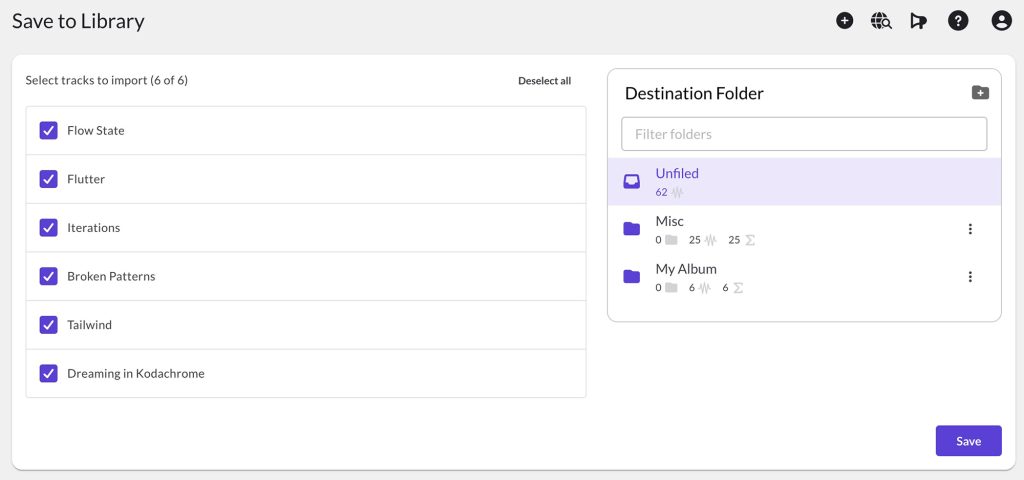
A music supervisor is on your reel and hears the perfect cue for their project. Instead of it slipping into a downloads folder they’ll never dig back through, they can save it straight into their own ReelCrafter library while they’re listening.
How it works:
Saving is off by default. You turn it on for whichever links you choose, in Share Link settings under Downloads. After that, anyone viewing that reel can save your tracks to their own ReelCrafter library, as long as they’re signed in. Saving only works while they’re on the reel, and only on reel links, not playlists.
Why it matters for you:
Every save shows up in your Recent Activity and emails you which tracks they kept. Someone saving your track is one of the warmest signals you’ll get from a pitch.
Learn more: Save to ReelCrafter
- May 2026
Reel Analytics: Your Last 30 Days at a Glance

Before your coffee’s cool, you can tell whether last week’s pitch is catching.
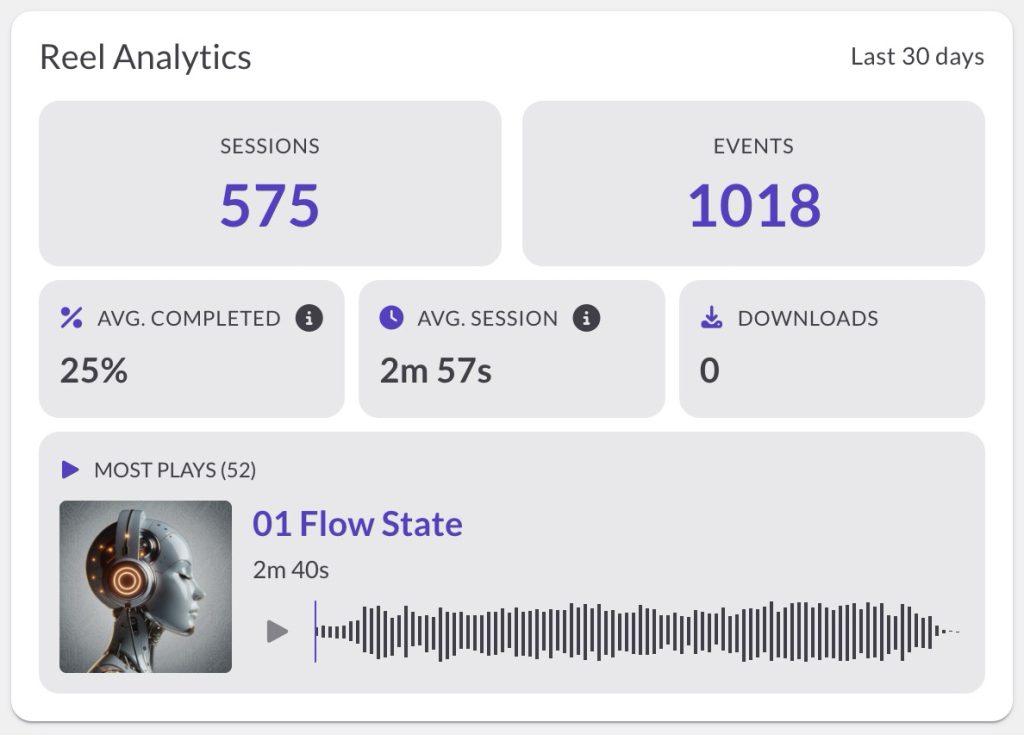
The new Reel Analytics card sits right at the top of your Dashboard. It’s a rolling 30-day snapshot of how people are engaging with your reels, refreshed every time the page loads. No date picker, nothing to set up, just a number you can scan on your way to the rest of your day.
What you’ll see:
Every ReelCrafter plan gets Sessions (how many visits) and Events (every play, pause, download, save, and click across them). On the Professional plan, you also get average completion, average active time per visit, downloads, and your single most-played track, snippet, or video (with a mini player so you know exactly what’s connecting).
Good to know:
Your own test opens are filtered out automatically, so the numbers reflect real listeners, not your previews. For per-session detail and custom date ranges, Recent Activity is right next to the card.
Learn more: Dashboard: Reel Analytics
- May 2026
Image Cropper: Crop and Rotate Without Leaving ReelCrafter

Your banner’s perfect, except it’s a little too tall. You know the routine: download it, open another app, crop, re-upload, and hope you kept the original.
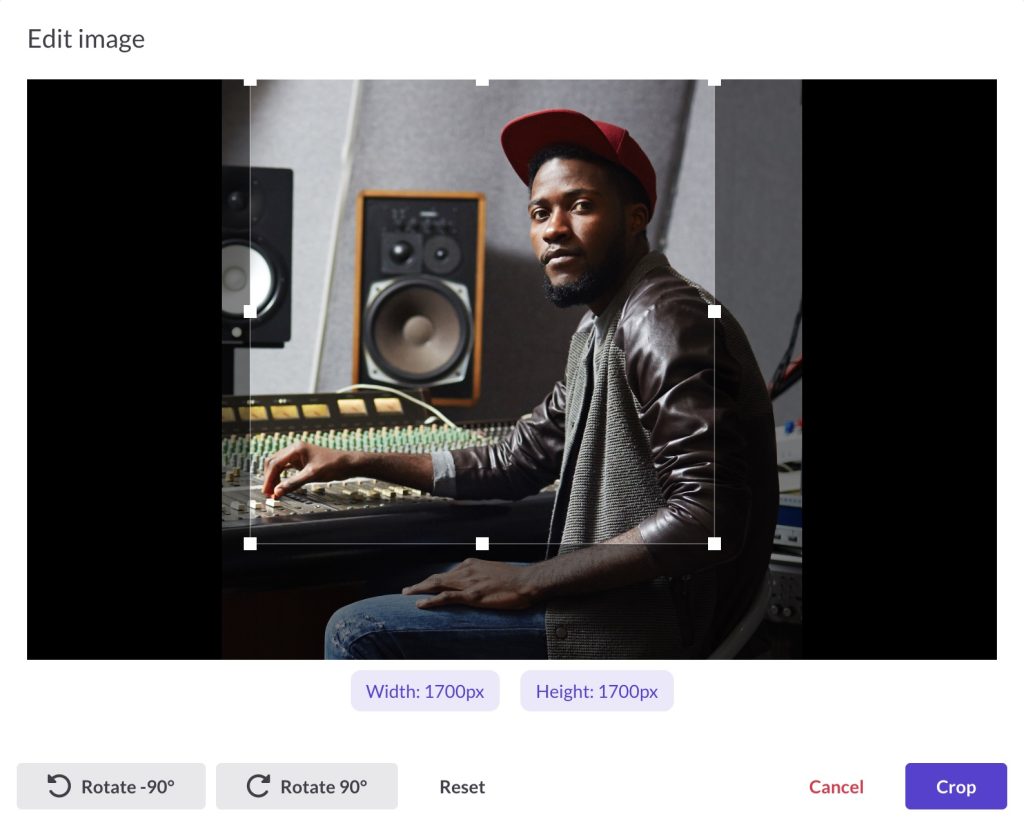
Now you can crop and rotate any image right where it lives in your library. Open the cropper from an image’s detail page, the three-dot menu in your Image library, or inline in the Reel Builder as you place an image.
What you can do:
Drag to any size or shape with live pixel dimensions, rotate in 90-degree steps, and preview before you commit. It’s built to be quick, not fancy — crop and rotate, no filters or layers to wade through.
Your original is safe:
Cropping always lets you save the new image in the same folder, so the file you uploaded isn’t touched. Crop it a dozen different ways and never lose the source.
Learn more: Cropping and rotating images